
The workplace has undergone a significant transformation. For millions of professionals worldwide, artificial intelligence is now a daily reality rather than a sci-fi idea.
AI productivity tools are now necessary for individuals, companies, and independent contractors in 2026. The market is expected to grow at an exponential rate, reaching $17.01 billion in 2026 and $41.12 billion by 2030.
This guide explores the most powerful AI productivity tools available today, what makes them effective, and how to choose the right ones for your workflow.
Quick Overview
| Detail | Information |
| Market value (2026) | $17.01 billion |
| Projected market value (2030) | $41.12 billion |
| Annual growth rate | ~25% CAGR |
| Number of AI tools available | 64,000+ |
| Employees using AI | 88% |
| Businesses successfully scaling AI | ~33% |
How AI Is Reshaping Office Work
The change is evident: instead of existing as stand-alone applications, AI is now directly integrated into the tools that people use on a daily basis.
In 2026, businesses’ use of AI will undergo a fundamental change. Companies are shifting away from general-purpose generative AI tools and toward more specialized, task-focused AI solutions that yield quantifiable increases in productivity.
Key Trends for 2026
Social media AI is the fastest-growing category, with interest increasing by 2,400% annually. In contrast, chatbots have only grown by 100%, while image generation tools have grown by 26%. These tools are being used by businesses to manage daily interactions across platforms, automate posting, and optimize content workflows. Workflow time has decreased by 40–60% thanks to internal use of social media agents.
Research and data AI tools are seeing uptake with growth of 1,675%.In high-risk data environments, these tools are used to automate analysis, find errors, and double-check datasets. Because data-driven decision-making requires a higher level of accuracy, specialized tools are preferred over general AI models.
Work management AI tools recorded growth of 1,350%, as organizations turn to AI to handle task allocation, progress tracking, and deadline management with minimal human input. Agentic AI now functions like an additional team member, managing workflows independently once goals and rules are set.
The 2024–2025 experimentation period is now over. In 2026, businesses will place a higher priority on specialized AI that works seamlessly with current processes and produces quantifiable results right away.
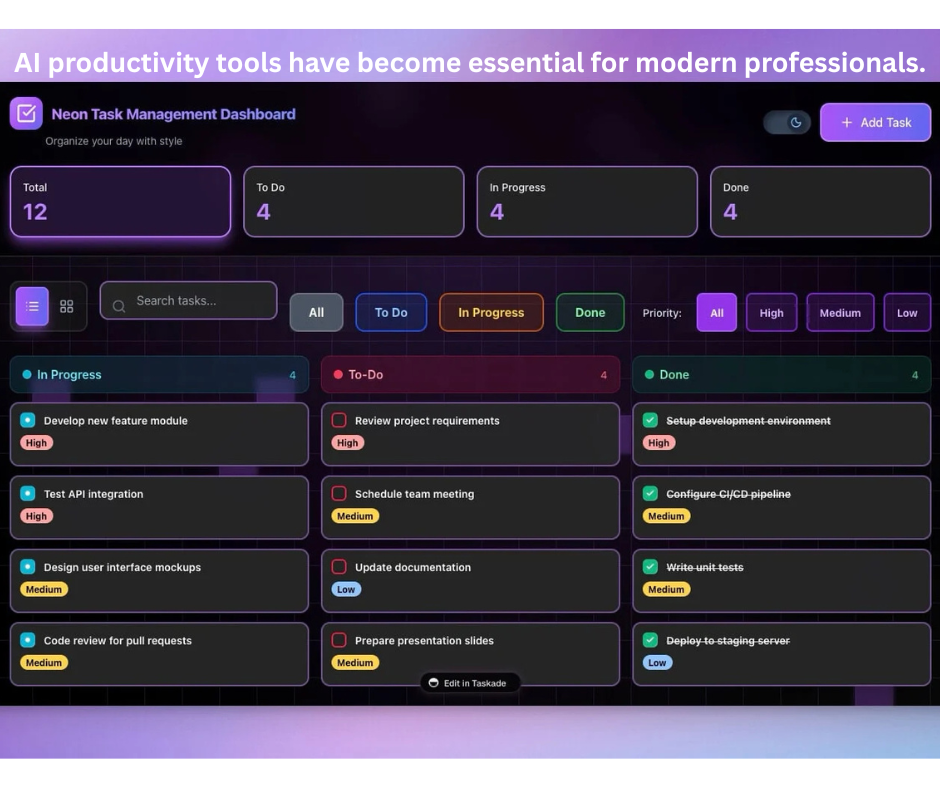
Top AI Productivity Tools in 2026
| Tool | Best For | Key Strength | Starting Price |
| ChatGPT | Everyday productivity | Versatile writing, coding, and research | Free / $20/mo |
| Microsoft Copilot | Office productivity | Deep Microsoft 365 integration | $20/user/mo |
| Gemini | Google Workspace users | Native Google ecosystem integration | Free / $20/mo |
| Claude | Long-form analysis | Superior writing quality, reasoning | Free / $20/mo |
| Perplexity AI | Research | Source-backed, cited answers | Free / $20/mo |
| Notion AI | Knowledge management | AI-powered documentation | $10/user/mo |
| Grammarly | Writing assistance | Grammar, clarity, tone improvement | Free / $12/mo |
| Otter.ai | Meeting productivity | Transcription and summaries | Free / $8.33/mo |
| ClickUp AI | Project management | AI-powered task tracking | $10/user/mo |
| Zapier AI | Workflow automation | App integration and automation | Free / $29.99/mo |
Tool-by-Tool Guide
ChatGPT – The Versatile Workhorse
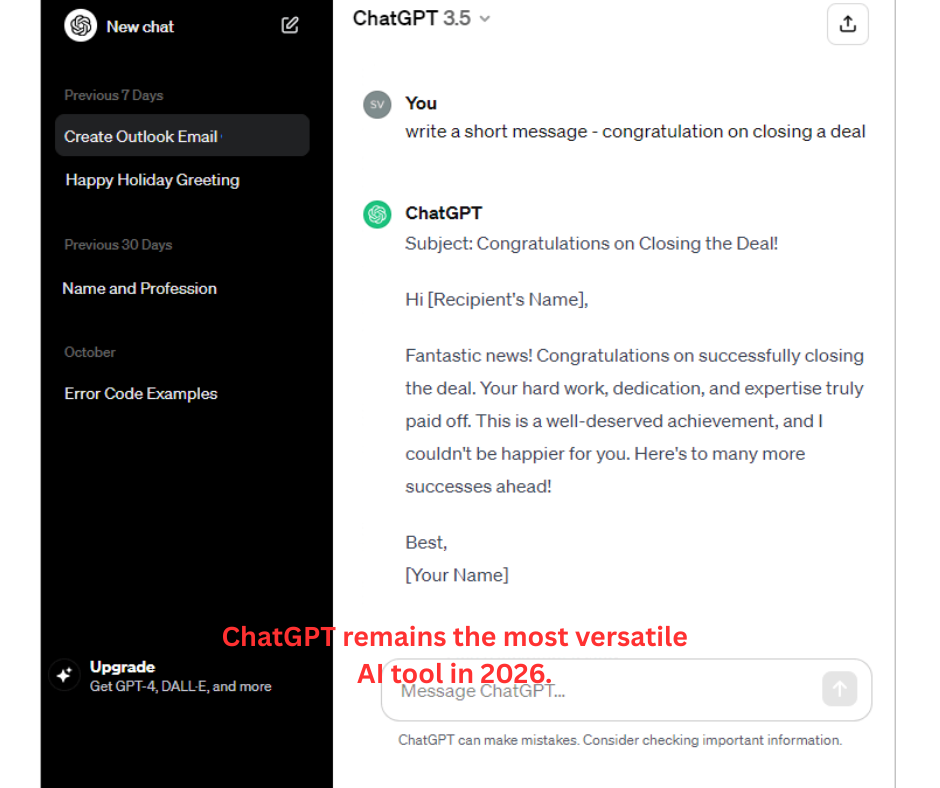
With a 1-million-token context window and GPT-5.5, ChatGPT is still the most comprehensive AI tool on the market in 2026. With a single interface, it manages writing, analysis, coding, document processing, and image creation.
You can upload complete reports and work with them directly thanks to the 1-million-token context window. Codex manages independent coding tasks in a sandboxed environment, and voice mode is actually helpful for hands-free brainstorming.
Ideal for: Multipurpose productivity tasks, writing, research, and coding. For the majority of professionals, the $20/month Plus plan is ideal.
Microsoft Copilot – Enterprise Powerhouse
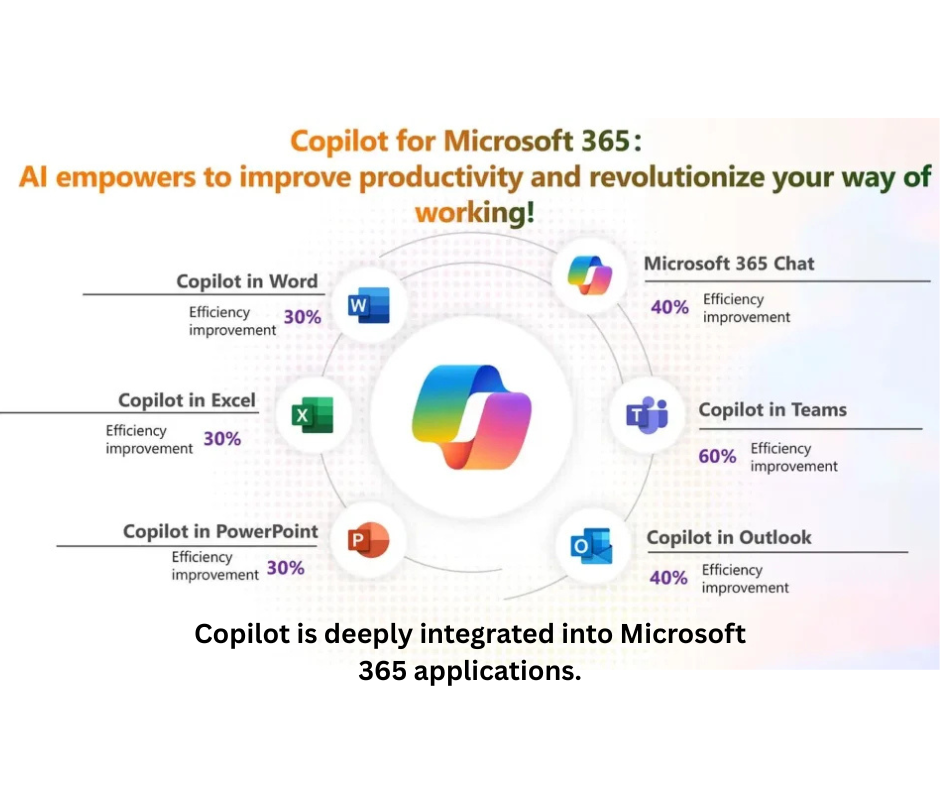
Word, Excel, PowerPoint, Outlook, and Teams all have strong integration with Microsoft Copilot. It enables users to manage tasks with natural language, create documents, evaluate spreadsheets, and summarize meetings.
One of the most popular enterprise AI systems, it functions inside current workflows without requiring users to switch tools. Each user of Copilot Pro pays $20 a month.
Gemini – Google Ecosystem Integration
Gmail, Docs, Sheets, Drive, and Meet are all integrated with Google’s AI assistant, Gemini. Without leaving their current workspace, it assists users in managing daily tasks, creating content, and summarizing information.
The main benefit is that no other AI program can concurrently extract context from your calendar, emails, and documents without requiring manual uploads. Gemini Advanced is available through Google One AI Premium for $19.99 per month.
Claude – The Writing and Reasoning Specialist
Claude has established a solid reputation for consistently managing lengthy documents and complex information. Without the filler or over-explanation found in other models, it generates prose that reads like it was written by a skilled human.
The Projects feature allows you to save context for ongoing work across conversations, and the 200,000-token context window handles lengthy documents natively. The Max plan costs $100 per month, while the Pro plan costs $20.
Perplexity AI – Research with Citations
Conversational AI, live web search, and source citations are all combined in Perplexity. It is the only AI tool where you can trust the sources without independently fact-checking because every response has inline citations that you can check.
The main benefit is that Perplexity Computer, the multi-agent system accessible to Pro subscribers, has hundreds of integrations for automated research workflows and connects to more than 20 models. Pro is $20 a month.
Notion AI – All-in-One Workspace
Notion AI integrates AI writing and knowledge retrieval with databases, task management, and documentation. It can extract action items, summarize lengthy documents, and respond to inquiries from internal company knowledge bases.
Best for: Teams, startups, project managers, and content teams. Paid plans start at $10/user/month
Grammarly – Communication Intelligence
Beyond just correcting grammar, Grammarly’s AI system has developed into a comprehensive communication assistant. It facilitates email writing, tone adjustment, and cross-platform clarity.
Best for: Students, bloggers, professionals, and business teams. Premium starts at $12/month (billed annually)
Otter.ai – Meeting Transcription
Otter.ai automatically creates summaries, extracts action items, and transcribes meetings in real time. It is frequently utilized in remote and hybrid work settings where cutting down on administrative work after meetings is a major productivity boost.
Best for: Remote teams, interviewers, students, managers. Free plan has 300 minutes of transcription per month. Pro starts at $8.33/month (billed annually)
Zapier AI – Workflow Automation
With the help of natural language prompts, Zapier AI connects thousands of apps and lets users create automated workflows. By integrating email, messaging, databases, and project tools into smooth automated pipelines, it plays a crucial part in contemporary productivity stacks.
Best for: Businesses, freelancers, operations teams, and no-code users. Free plan available. Paid plans start at $29.99/month.
Agentic Assistants: The Next Frontier
The emergence of agentic assistants AI systems that can autonomously plan, carry out, and finish multi-step tasks without constant human supervisionis one of the most important developments of 2026.
These tools have developed into desktop programs that can communicate with files, programs, and corporate data. They started out as AI-assisted coding tools.
What Can Agentic Assistants Do
- Automate complex workflows – Execute multi-step processes like preparing business reviews, analyzing data, and generating reports.
- Manage pipelines – Handle content updates across teams and systems.
- Connect to enterprise data – Pull context from emails, calendars, documents, and CRM systems.
- Execute playbooks – Run business processes with minimal human intervention.
Are Enterprises Ready?
Hands-on analysis indicates that the majority of organizations are not yet prepared to fully implement agentic assistants. An organization’s technical and human resources are far more important to its success than the tools it purchases.
Key lessons from early adopters:
- It takes time to get dialed in. The relationship to work changes from always doing to acting as an editor or judge.
- Context is king. Appropriately applying context is the primary determinant of success.
- One superstar will not carry a team. A single power user does not lift the whole group’s productivity.
How to Choose the Right AI Tool
The right AI productivity tool usually depends on the kind of work you handle most often
Based on Your Workflow
| If You Need | Best Tools |
| General productivity, writing, brainstorming | ChatGPT, Claude, Gemini |
| Research with verification | Perplexity AI, NotebookLM |
| Microsoft Office integration | Microsoft Copilot |
| Google Workspace integration | Gemini |
| Document-heavy analysis | Claude, Notion AI |
| Meeting transcription | Otter.ai |
| Workflow automation | Zapier AI |
| Project management | ClickUp AI, Asana AI |
| Writing polish | Grammarly |
Conclusion
By 2026, AI productivity tools will be necessary for contemporary work. The market is expanding quickly, tools are becoming more specialized, and the transition to agentic AI is quickening.
Quick Summary:
- The AI productivity tools market will reach $41.12 billion by 2030.
- Social media AI is the fastest-growing category (2,400% growth).
- 88% of employees now use AI in some form.
- Agentic assistants are the next frontier in workplace AI.
- The right tool depends on your workflow, budget, and existing tech stack
The smartest users treat these tools as productivity accelerators with boundaries — useful for drafts, summaries, research support, and brainstorming, but not a substitute for verification, data governance, or professional expertise
The question is no longer whether AI can make you more productive. The real question is which AI tool deserves a place in your workflow.











Leave a Reply